 TDom for iPhone and iPad
Your speed.
Always in view.
TDom puts a clean speedometer and mileage log on your iPhone. It works in any car, logs every trip and delivery shift to the mile, and reads Tesla vehicles straight from the car.
Any car · iOS 18 or later · No account
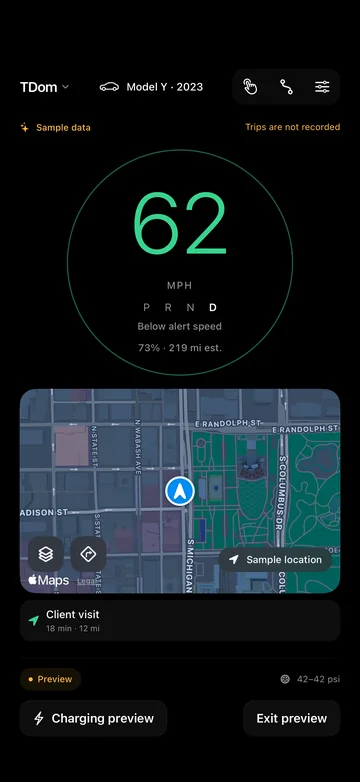
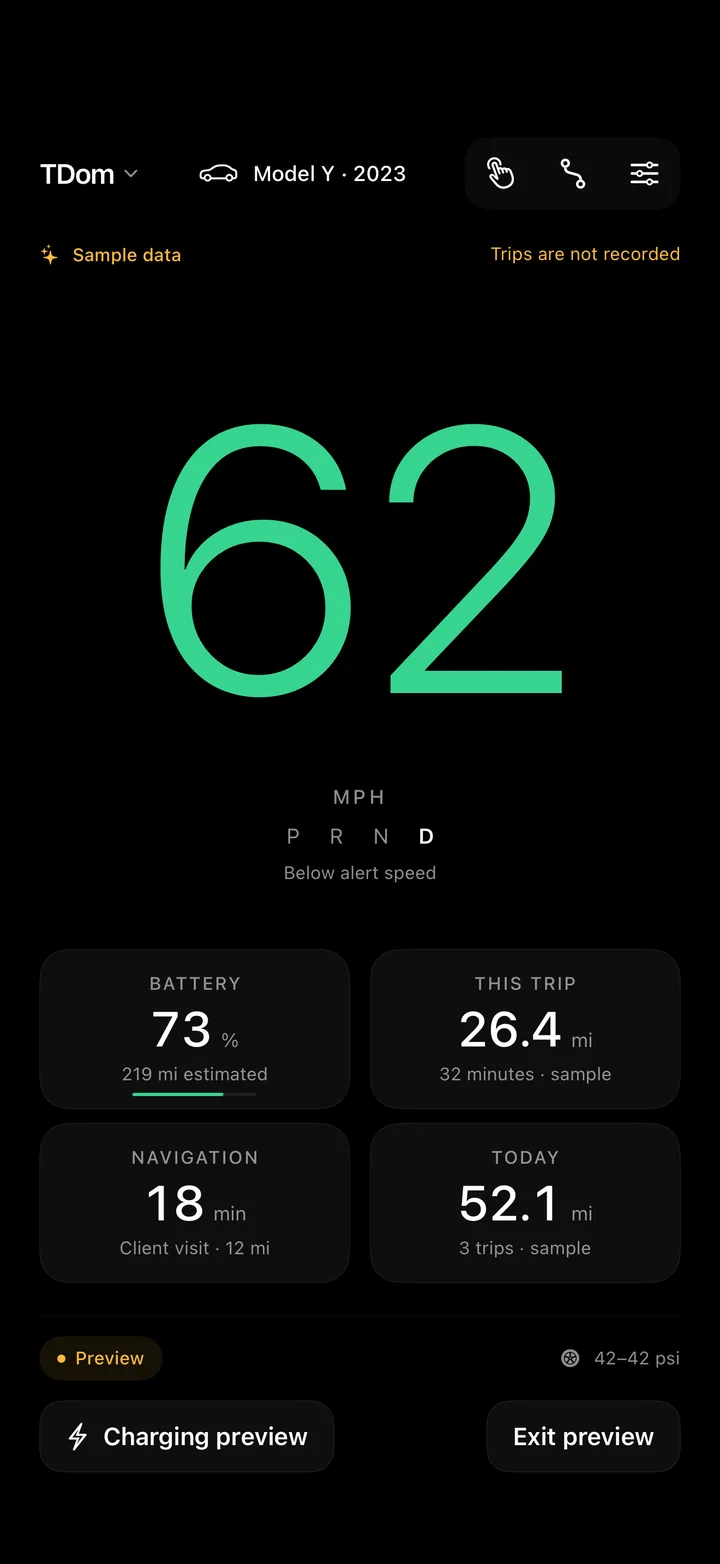
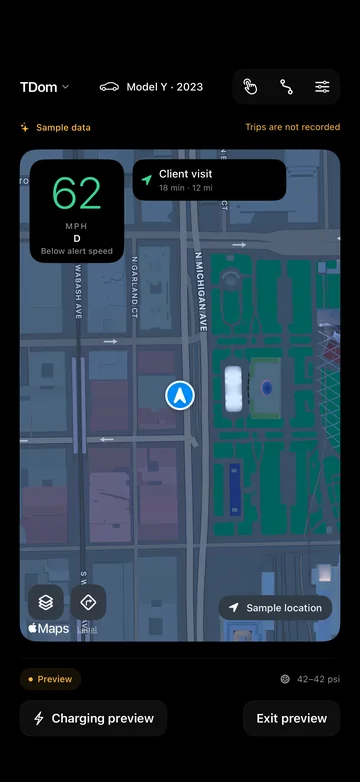
Three layouts
Big numbers.
Nothing in the way.
Pick the layout that suits the drive. Speed changes color at the limits you set, and the screen stays awake for the whole trip.
Dynamic Island
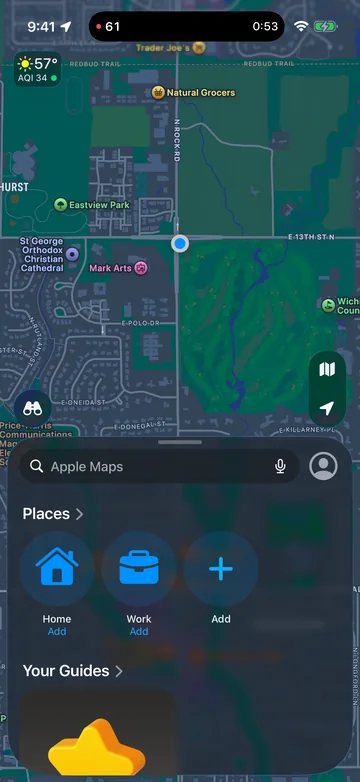
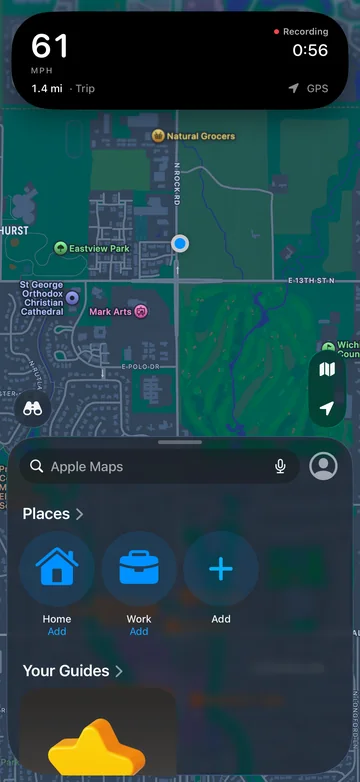
Open Maps.
Your speed comes along.
Start a trip and your speed and trip clock sit in the Dynamic Island while you use other apps. Touch and hold for distance and where the reading comes from. If updates stop, the number hides instead of going stale.
Mileage log
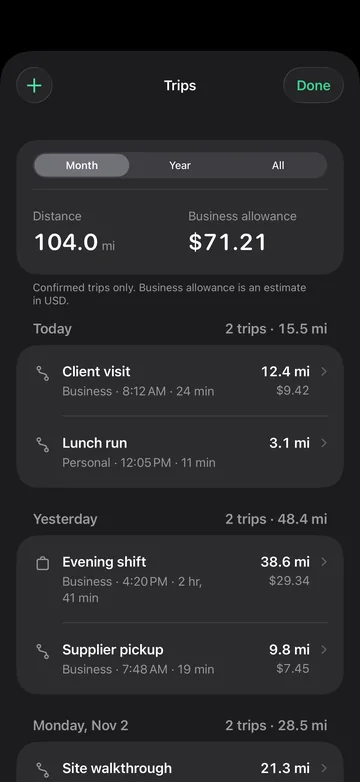
Every mile.
Ready for tax time.
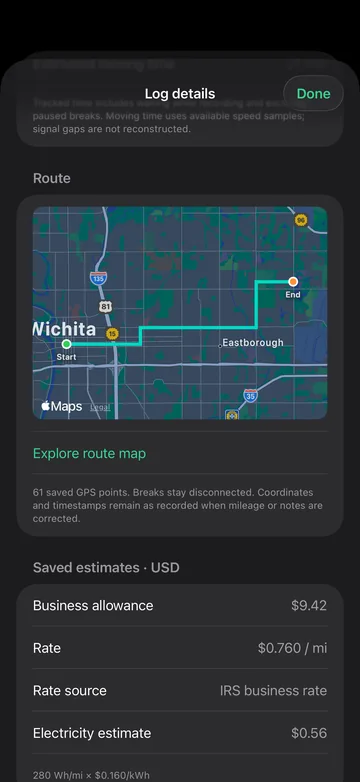
For delivery drivers, contractors and anyone who drives for work. Tap Start, drive, then tap Finish. TDom saves the distance, time and route and works out the business allowance.
2026 IRS rates
72.5¢ a mile through June, 76¢ from July. Or use your employer's rate.
CSV and PDF
Monthly or yearly reports with route maps, shared from your phone.
Drives found for you
Turn on automatic logging and approve each drive it detects.
Delivery shifts
Track a whole shift. Breaks you pause don't count toward time.
For Tesla owners
Reads your car.
Never drives it.
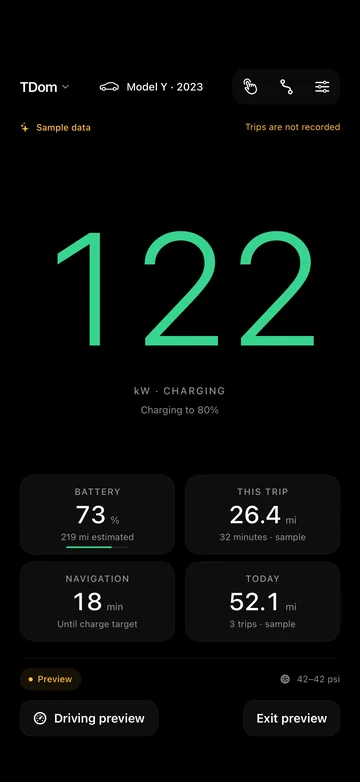
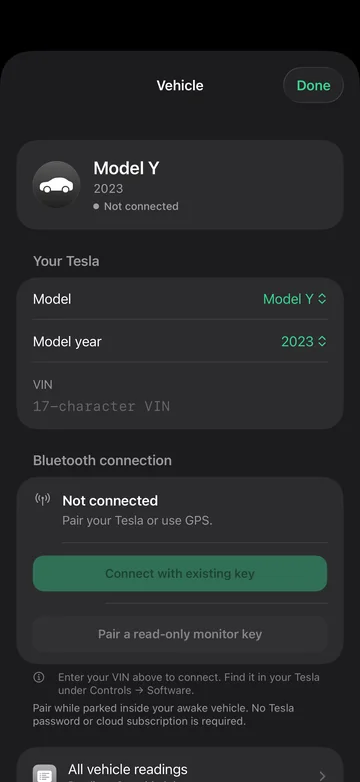
Drive a Tesla? TDom pairs with it over Bluetooth as a read-only key you approve once, inside the car. Then it reads speed, gear, battery, charging and tire pressure on its own.
Read-only key
It can't unlock, start or change anything on the car.
Approved in the car
Pair while parked and confirm on the car's screen with your key card.
No Tesla login
You don't need a password or a cloud subscription, just your phone and the car.
GPS in any car
Not a Tesla, or out of range? Your phone's GPS covers speed and mileage.
Built for iPhone
The small things.
Done properly.
Speed alerts
Set two limits. The numbers turn amber, then red.
Widgets
Today's miles and your car's last reading on the Home Screen.
Siri and Shortcuts
"Show my mileage in TDom." Or put it on the Action button.
Control Center
Open the driving display from anywhere with one tap.
Your maps app
Hand off to Apple Maps, Google Maps or Waze for directions.
Preview while parked
Try every layout with clearly labeled sample data.
Stickers
Eight dashboard-style stickers for Messages, from On my way to Shift done.
Day and Night
A dark cabin look by default, or light, or follow the system.
Privacy
Your drives stay
on your phone.
TDom has no servers of ours for your data to pass through. Trips, routes and vehicle keys are saved on your device and nowhere else.
No account
Nothing to sign up for or sign in to.
No tracking
No analytics, no ads, nothing sent to us.
Keys in Keychain
Your car key never leaves this device.
You share it
Reports leave the app only when you send them.
Questions.
Do I need a Tesla?
No. GPS speed, the mileage log, delivery shifts, the Dynamic Island and reports work in any car, gas or electric. Tesla owners also get live readings from the car. The Tesla connection is built for 2021 to 2026 Model 3, Model Y, Model S, Model X and Cybertruck.
Can TDom unlock, start or control my car?
No. TDom pairs as a read-only key. It can read data such as speed, gear and battery, and it can't unlock, start, drive or change anything on the car.
Do I need a Tesla account or internet?
No. TDom talks to the car directly over Bluetooth. There's no Tesla password, no cloud subscription and no TDom account. Maps need a data connection to load.
Is it safe to use while driving?
Set TDom up while parked and mount your phone where you can glance at it. Settings and editing lock once the car is moving. TDom is a companion display, and your Tesla's own screen remains the reference.
Will my mileage log hold up at tax time?
Each trip keeps its date, times, distance, purpose and category, and reports export to CSV or PDF. The 2026 IRS business rates are built in. TDom's figures are estimates, so check with your tax professional.
Is TDom made by Tesla?
No. TDom is an independent app made by Altstead LLC. It is not affiliated with, endorsed by or sponsored by Tesla, Inc.
Every drive.
Any car.
For iPhone and iPad with iOS 18 or later
Speed and vehicle readings are a convenience. Always follow posted limits and your car's own displays. Tesla, Model 3, Model Y, Model S, Model X and Cybertruck are trademarks of Tesla, Inc. TDom is not affiliated with or endorsed by Tesla, Inc.